Learning Path
This is a course, not a manual. Twelve lessons take you from a three-node flow to a complete automation routine, and each lesson adds exactly one new idea. If you work through them in order, nothing will ever be introduced before you need it.
Every flow in these lessons exists as a real, validated flow, photographed from the real editor. You can rebuild each one yourself in a few minutes — and you should: the lessons are written to be done, not just read.
What you practise on
The lessons automate the Practice App — a small web app that ships with this documentation. It runs in the emulator's browser and was designed for exactly this job:
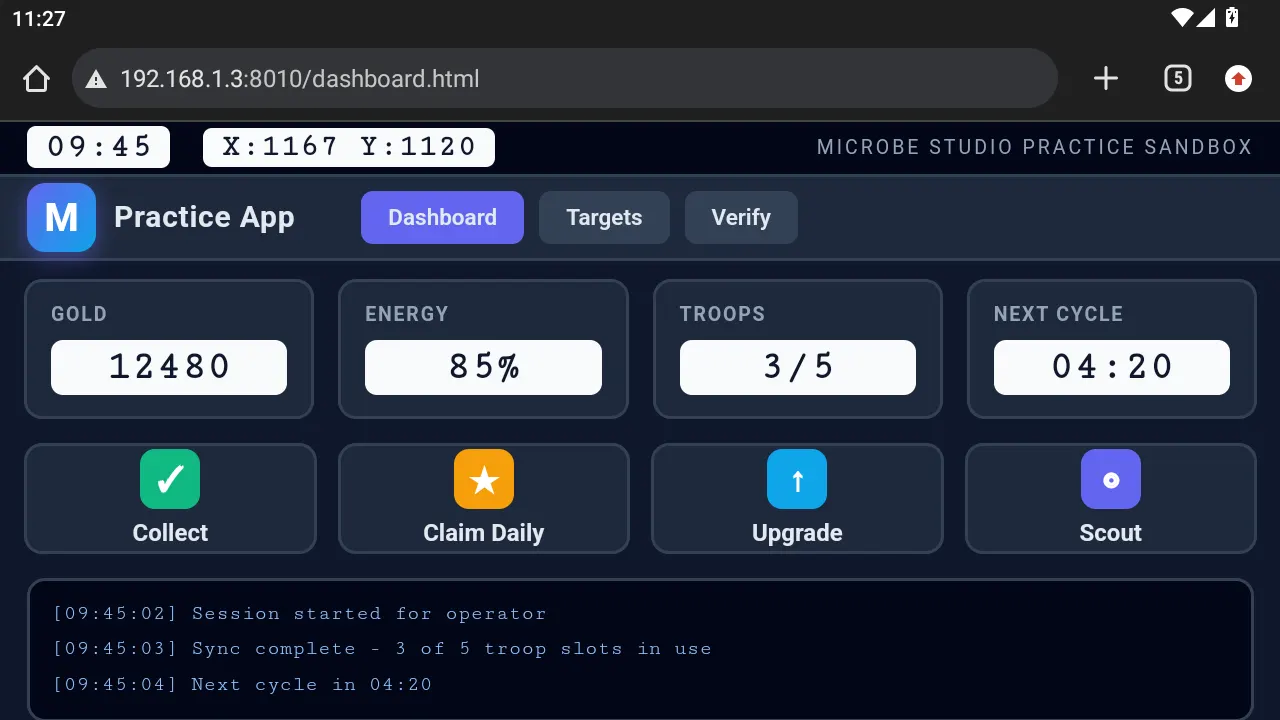
- Four readouts, one per OCR value type: Gold
12480(number), Energy85%(percentage), Troops3/5(counter), Next Cycle04:20(time). - Buttons with distinct icons that make excellent Find Image templates.
- A reward popup you can summon or hide on demand, so the "optional element" lesson is reproducible.
- A slider challenge for the Captcha lesson.
- Every value is fixed and deterministic — your results will match the lesson's expected results, exactly.
Set it up once in Practice App setup, then start Lesson 01.
Real apps change daily, differ by account, and their content is copyrighted. The Practice App never changes, looks the same for everyone, and ships with the docs — so every screenshot here is one you can reproduce on your own machine.
Everything you learn transfers directly: the Practice App's readouts, buttons, popups and lists behave like any real app's.
The lessons
Foundations — act on the screen
| Lesson | You build | The one new idea |
|---|---|---|
| 01 · Your First Flow | 3 nodes | A flow is steps wired together |
| 02 · Wait and Verify | 6 nodes | Never assume a tap worked — check |
| 03 · Find and Click | 5 nodes | Act on what you found, not on coordinates |
| 04 · Handle an Optional Popup | 6 nodes | Both outcomes can be correct |
Reading the screen — data drives decisions
| Lesson | You build | The one new idea |
|---|---|---|
| 05 · Read a Number | 6 nodes | A screen value becomes a decision |
| 06 · Read Every Value Type | 6 nodes | One node, four typed readouts |
| 07 · Count With Variables | 8 nodes | Counters, loops, and per-run inputs |
Robustness — flows that survive reality
| Lesson | You build | The one new idea |
|---|---|---|
| 08 · Retry or Branch | 6 nodes | Which failure tool fits which failure |
| 09 · Recovery Routine | 10 nodes | Bounded recovery to a known screen |
| 10 · Cooldown With Memory | 8 nodes | Don't repeat work you already did |
Scale — from flows to systems
| Lesson | You build | The one new idea |
|---|---|---|
| 11 · Build With Sub Flows | 7 nodes | Flows become functions |
| 12 · Daily Routine Capstone | 16 nodes | Everything above, in one readable flow |
How each lesson is structured
Every lesson follows the same shape, so you always know where you are:
- The problem — a real situation, stated first.
- The flow — diagram and real editor screenshot.
- Build it — step by step, with every setting named.
- Why each node — the role each one plays, and what data passes between them.
- Run it — what the runtime does, and the expected result.
- Best practices · Common mistakes · Troubleshooting — before they cost you an evening.
- Take it further — extension ideas that preview later lessons.
Where this path leads
By Lesson 12 you will have used every major mechanism in the product: detection, actions, OCR, variables, loops, retry, recovery, memory, and composition. The capstone is deliberately shaped like the real farm-style automations experienced users run — a parameterised routine that recovers from bad states, skips work it already did, counts what it collected, and reports.
After the course, the Node Reference becomes your dictionary and the Concepts section your grammar. You will not need to read either cover to cover — you will look things up as builders do.
Prerequisites
- Microbe Studio installed and connected to MuMu — see Getting Started.
- One running instance.
- The Practice App reachable from the emulator's browser.
That's it. Start with Practice App setup.