Installation
Use this page to install Microbe Studio and prepare the basic environment.
What you need
- A Windows desktop machine.
- Access to the download page: https://microbe-studio.com/download
Install Microbe Studio
Download MicrobeStudio_Setup and run the installer.
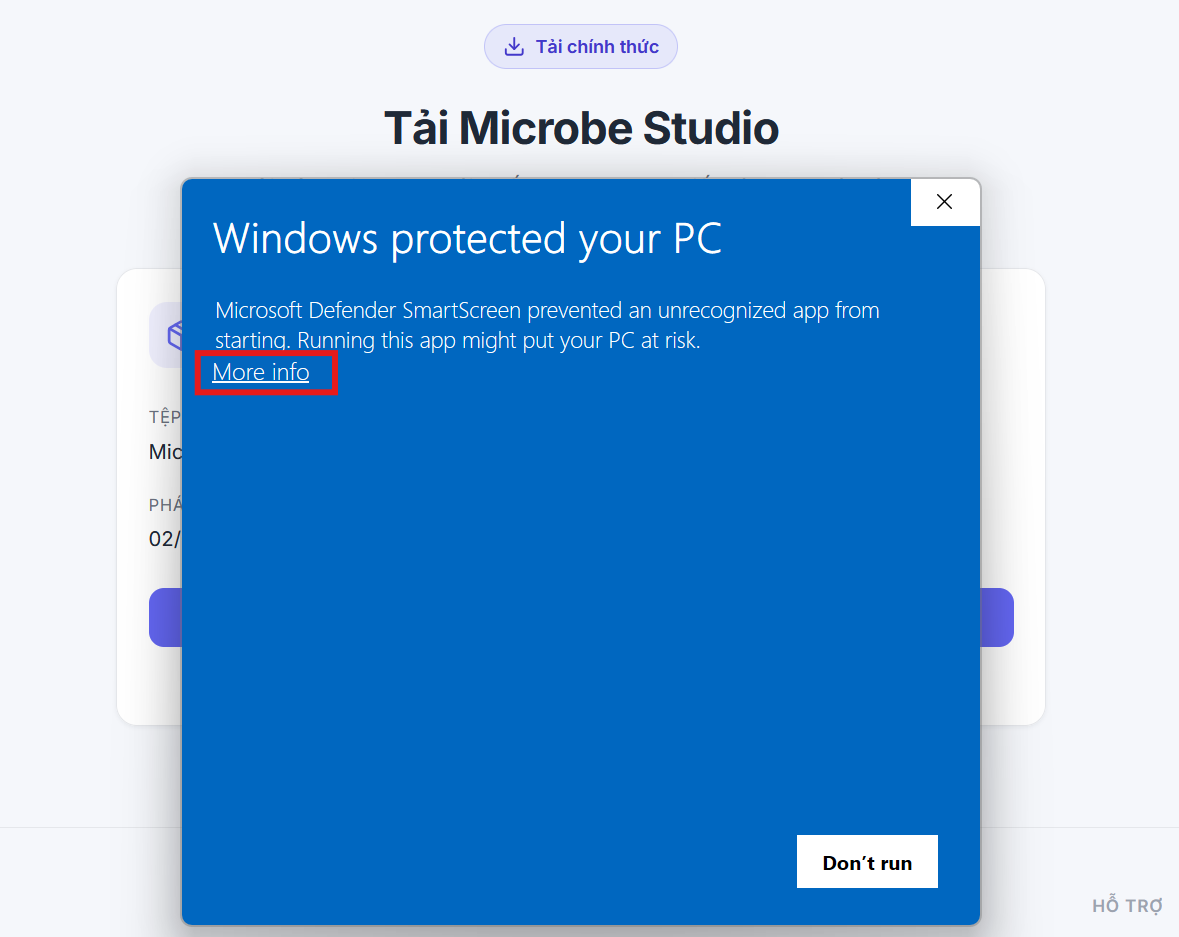 Click More Info to continue.
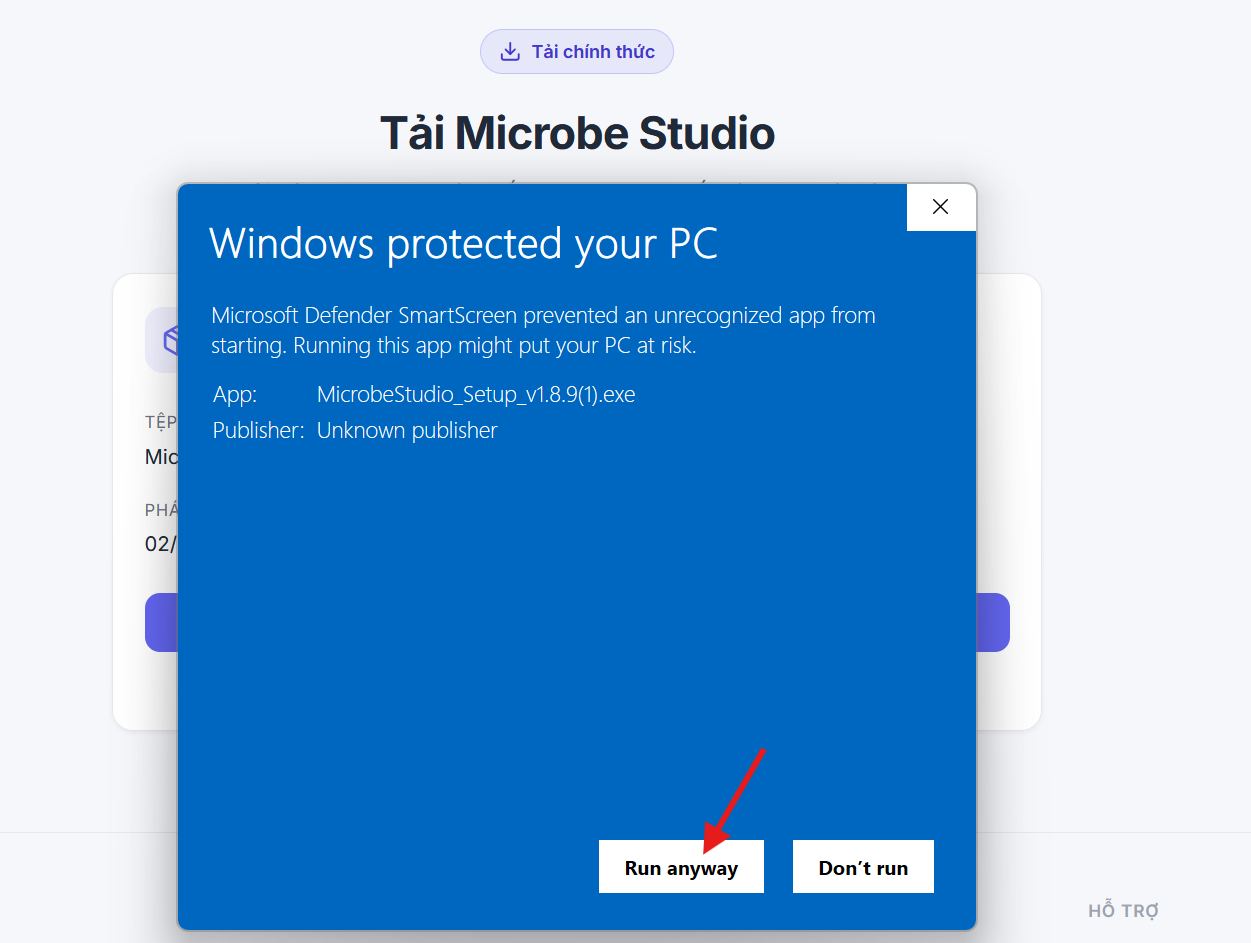 Click Run anyway to start the installation.
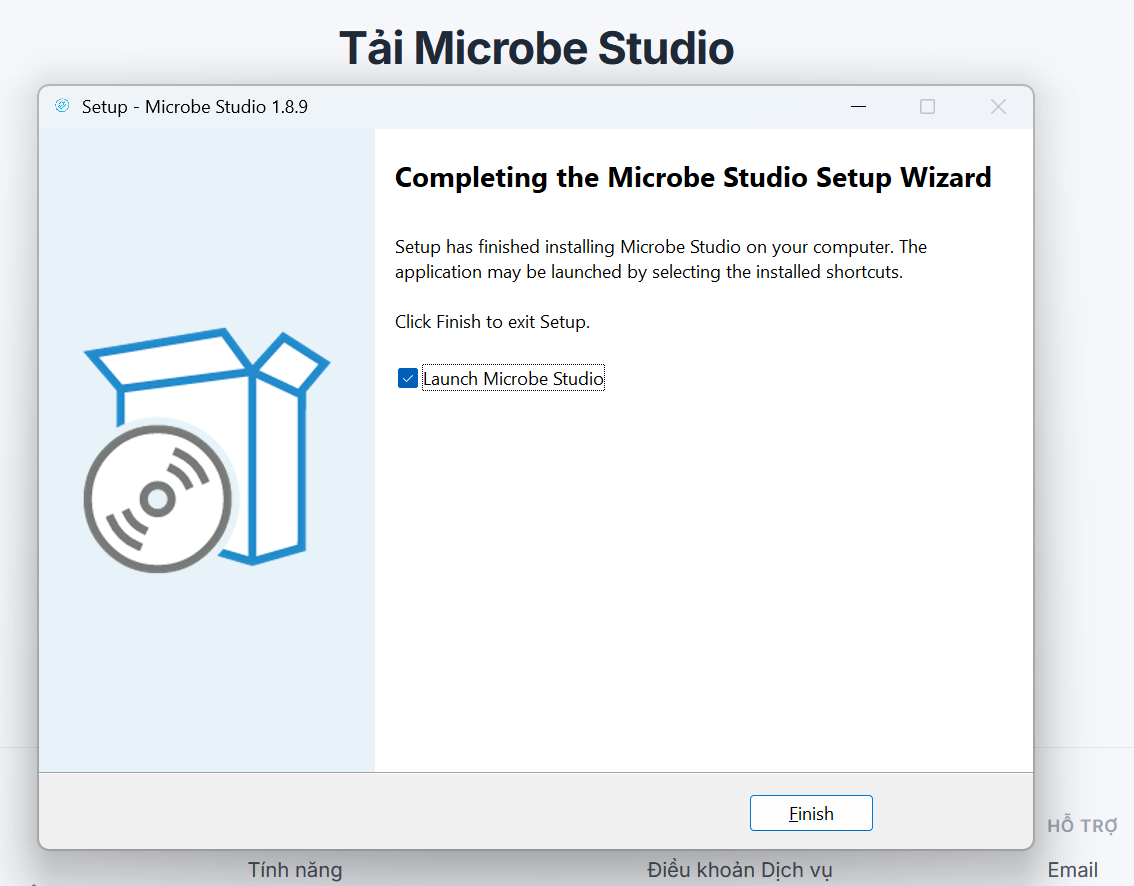 The installation is complete.
Next step
Before running Microbe Studio, set up MuMu using this guide:
iOS note
Microbe Studio can support iOS when the workflow runs through MuMu. For now, the Android and iOS documentation stays shared unless real testing shows that the UI, setup, or flow behavior is meaningfully different.